Tutorial zur Konvertierung des Geräte-Arbeitsbereichs
Dieses Tutorial ist Grundlegendes Force-Feedback Erweitern Sie das Tutorial, indem Sie die Eigenschaften und Methoden der Raumtransformation nutzen, um Inverse3 Hier wird gezeigt, wie man die Position, Drehung und Skalierung eines Objekts anpasst.
Einführung
Nachdem Sie die Szene für das grundlegende Force-Feedback eingerichtet haben, werden Sie feststellen, dass das haptische Feedback nicht wie erwartet reagiert, selbst wenn Sie den „Haptic Origin“ oder den „Haptic Controller“verschieben, skalieren oder drehen. Das Feedback bezieht sich weiterhin auf eine unsichtbare Kugel, die sich an der Vorderseite des Geräts befindet, und wird von diesen Transformationen nicht beeinflusst.
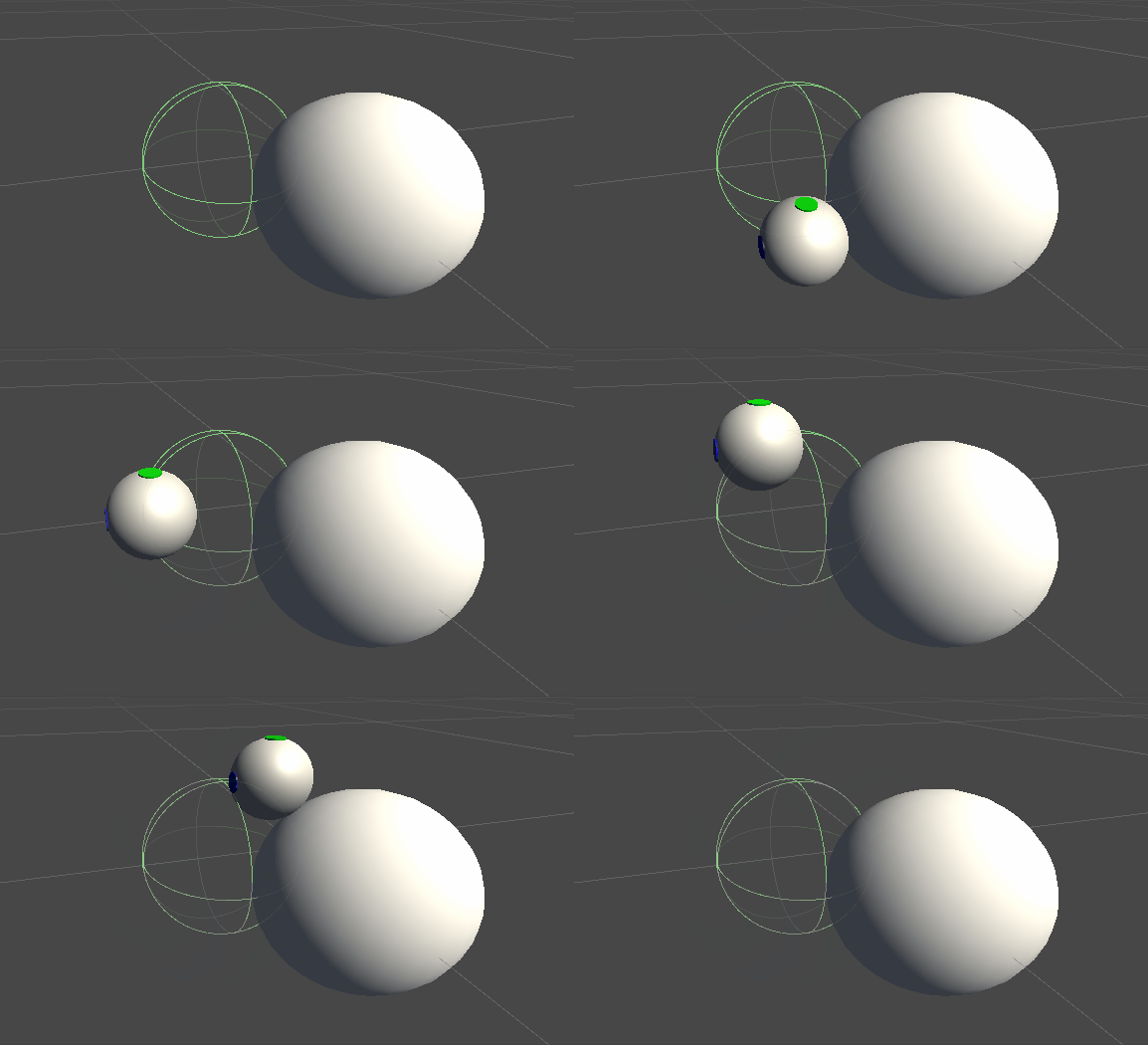
Diese Diskrepanz entsteht, weil bei der Berechnung der Kraft die tatsächlichen, nicht transformierten Koordinaten des Cursors verwendet werden. Um dieses Problem zu beheben, werden wir die von der „Inverse3 -Controller“-Komponente bereitgestellte threadsichere Cache-Transformationsmatrixnutzen und die Weltkoordinatentransformation auf die Berechnung des haptischen Feedbacks anwenden.
Szene-Einstellungen
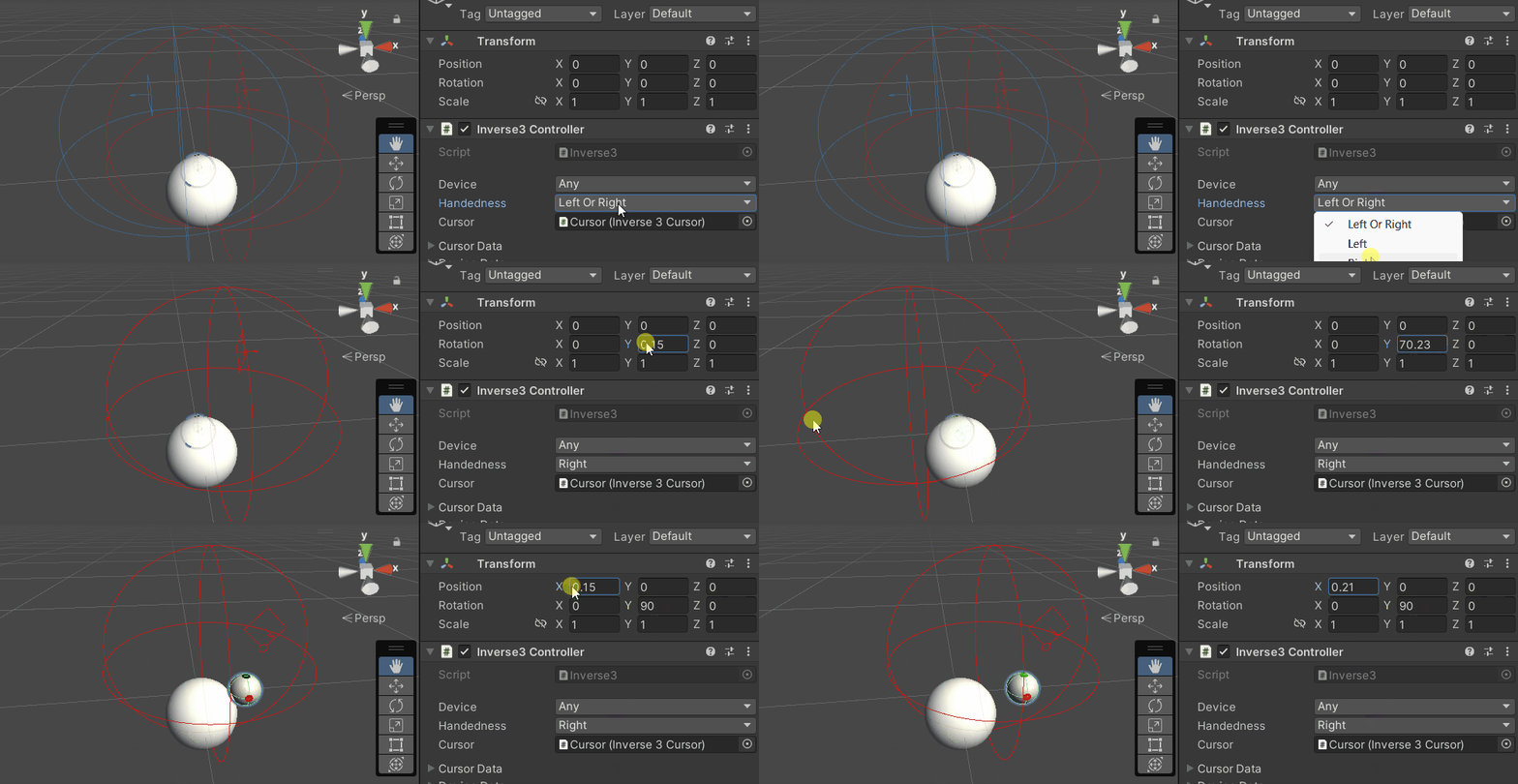
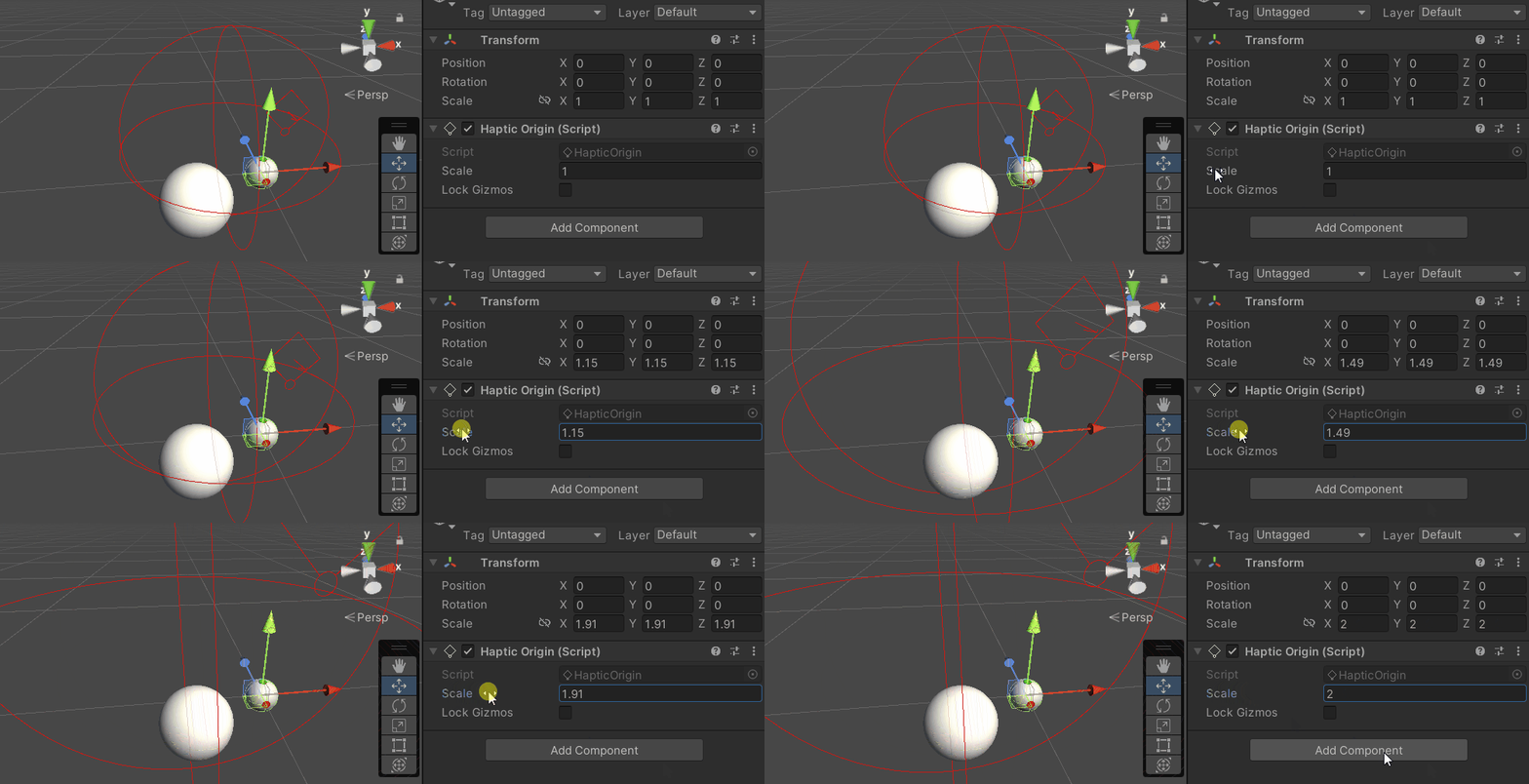
Beginnen Sie mit der Szene aus dem Tutorial „Grundlagen des Force-Feedback“und stellen Sie sicher, dass die Ausrichtung (Handedness) des „Inverse3 “-Controllersmit dem Gerät übereinstimmt. Drehen Sieden Haptic-Controllerso, dass das „ Haply “-Logo zur Kamera zeigt. Wenn Sie den Cursorbereich vergrößern oder die Position anpassen möchten, passen Sie die Skalierung von „Haptic Origin“nach Bedarf an.
Änderung des Force-Feedback-Skripts
Das Tutorial zum grundlegenden Force-Feedback SphereForceFeedback.cs Kopieren Sie das Skript und OnDeviceStateChanged Nehmen Sie im Callback folgende Änderungen vor:
device.CursorLocalPosition을device.CursorPositionÄndern Sie dies bitte in.device.CursorLocalVelocity를device.CursorVelocityÄndern Sie dies bitte.device.CursorSetLocalForce(force)를device.CursorSetForce(force)Ändern Sie dies bitte.
private void OnDeviceStateChanged(object sender, Inverse3EventArgs args)
{
    var inverse3 = args.DeviceController;
    var force = ForceCalculation(inverse3.CursorPosition, inverse3.CursorVelocity,
        _cursorRadius, _ballPosition, _ballRadius);

    inverse3.SetCursorForce(force);
}
Spielerlebnis
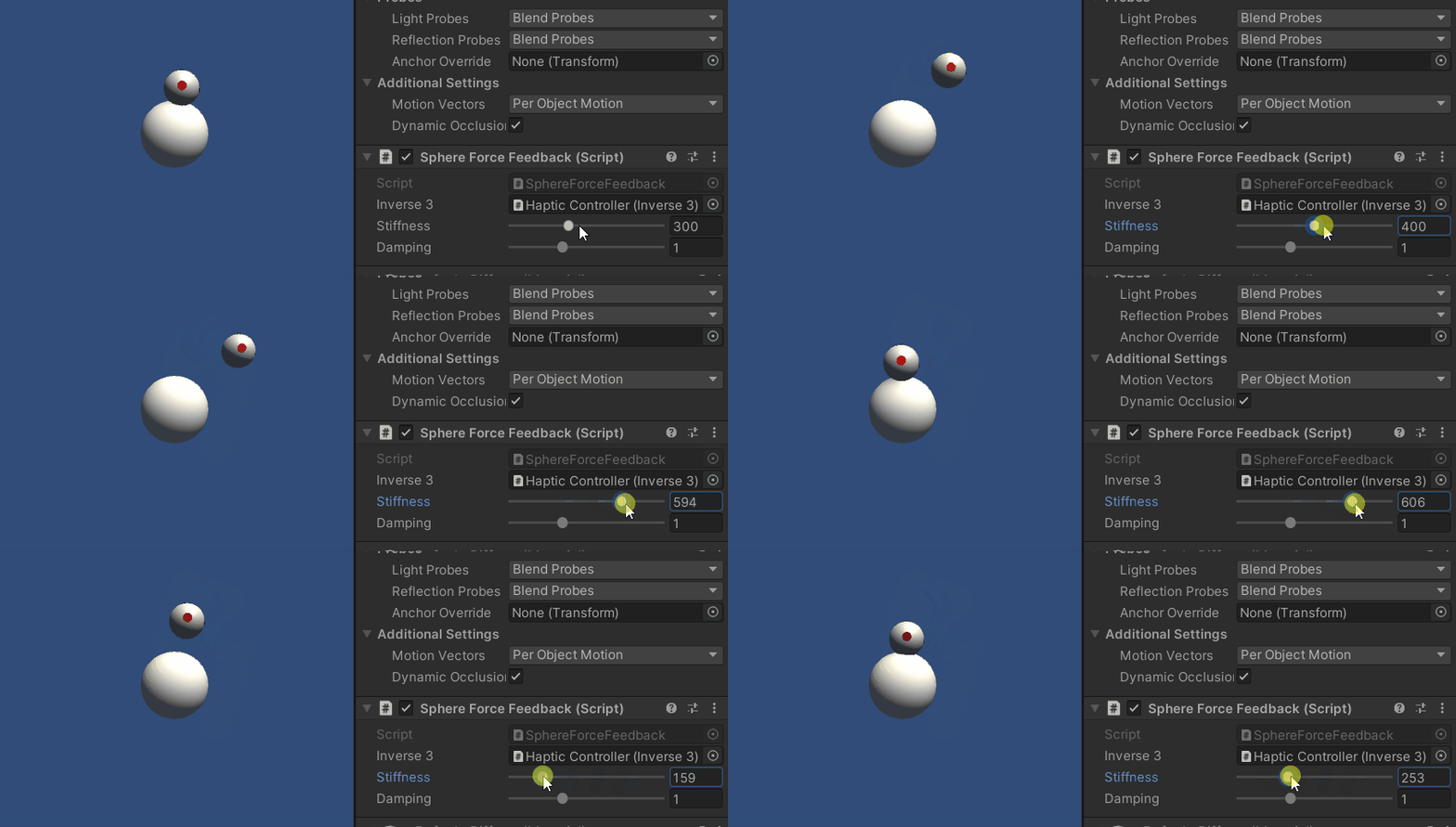
Inverse3 Wechseln Sie mit dem Cursor im Auswahlmodus in den Wiedergabemodus. Berühren Sie die Kugel wie im vorherigen Beispiel. Nun können Sie ein präzises haptisches Feedback erleben, das die auf „Haptic Origin“ und „Haptic Controller“angewendeten Transformationen berücksichtigt.
Quelldatei
Die gesamte Szene dieses Beispiels sowie die zugehörigen Dateien können Sie aus den Tutorials-Beispielen im Unity Package Manager herunterladen.
Die Beispielszene enthält zusätzliche Skripte zur Anpassung des Haptic Controllers und des Haptic Originwährend der Laufzeit.
SphereForceFeedback.cs
/*
 * Copyright 2024 Haply Robotics Inc. All rights reserved.
 */

using Haply.Inverse.DeviceControllers;
using Haply.Inverse.DeviceData;
using UnityEngine;

namespace Haply.Samples.Tutorials._3_DeviceSpaceTransform
{
    public class SphereForceFeedback : MonoBehaviour
    {
        // must assign in inspector
        public Inverse3Controller inverse3;

        [Range(0, 800)]
        // Stiffness of the force feedback.
        public float stiffness = 300f;

        [Range(0, 3)]
        public float damping = 1f;

        private Vector3 _ballPosition;
        private float _ballRadius;
        private float _cursorRadius;

        /// <summary>
        /// Stores the cursor and sphere transform data for access by the haptic thread.
        /// </summary>
        private void SaveSceneData()
        {
            var t = transform;
            _ballPosition = t.position;
            _ballRadius = t.lossyScale.x / 2f;

            _cursorRadius = inverse3.Cursor.Radius;
        }

        /// <summary>
        /// Saves the initial scene data cache.
        /// </summary>
        private void Awake()
        {
            inverse3 ??= FindFirstObjectByType<Inverse3Controller>();
            inverse3.Ready.AddListener((device, args) => SaveSceneData());
        }

        /// <summary>
        /// Subscribes to the DeviceStateChanged event.
        /// </summary>
        private void OnEnable()
        {
            inverse3.DeviceStateChanged += OnDeviceStateChanged;
        }

        /// <summary>
        /// Unsubscribes from the DeviceStateChanged event.
        /// </summary>
        private void OnDisable()
        {
            inverse3.DeviceStateChanged -= OnDeviceStateChanged;
            inverse3.Release();
        }

        /// <summary>
        /// Calculates the force based on the cursor's position and another sphere position.
        /// </summary>
        /// <param name="cursorPosition">The position of the cursor.</param>
        /// <param name="cursorVelocity">The velocity of the cursor.</param>
        /// <param name="cursorRadius">The radius of the cursor.</param>
        /// <param name="otherPosition">The position of the other sphere (e.g., ball).</param>
        /// <param name="otherRadius">The radius of the other sphere.</param>
        /// <returns>The calculated force vector.</returns>
        private Vector3 ForceCalculation(Vector3 cursorPosition, Vector3 cursorVelocity, float cursorRadius,
            Vector3 otherPosition, float otherRadius)
        {
            var force = Vector3.zero;

            var distanceVector = cursorPosition - otherPosition;
            var distance = distanceVector.magnitude;
            var penetration = otherRadius + cursorRadius - distance;

            if (penetration > 0)
            {
                // Normalize the distance vector to get the direction of the force
                var normal = distanceVector.normalized;

                // Calculate the force based on penetration
                force = normal * penetration * stiffness;

                // Apply damping based on the cursor velocity
                force -= cursorVelocity * damping;
            }

            return force;
        }

        /// <summary>
        /// Event handler that calculates and send the force to the device when the cursor's position changes.
        /// </summary>
        /// <param name="sender">The Inverse3 data object.</param>
        /// <param name="args">The event arguments containing the device data.</param>
        private void OnDeviceStateChanged(object sender, Inverse3EventArgs args)
        {
            var inverse3 = args.DeviceController;
            // Calculate the ball force. Using 'device.Position' instead of 'device.LocalPosition'
            // ensures the force calculation considers the device's offset and rotation in world space.
            var force = ForceCalculation(inverse3.CursorPosition, inverse3.CursorVelocity,
                _cursorRadius, _ballPosition, _ballRadius);

            // Apply the calculated force to the cursor. Using 'device.CursorSetForce' instead of
            // 'device.CursorSetLocalForce' ensures that the force vector is correctly converted
            // from world space to the device's local space.
            inverse3.SetCursorForce(force);
        }
    }
}